
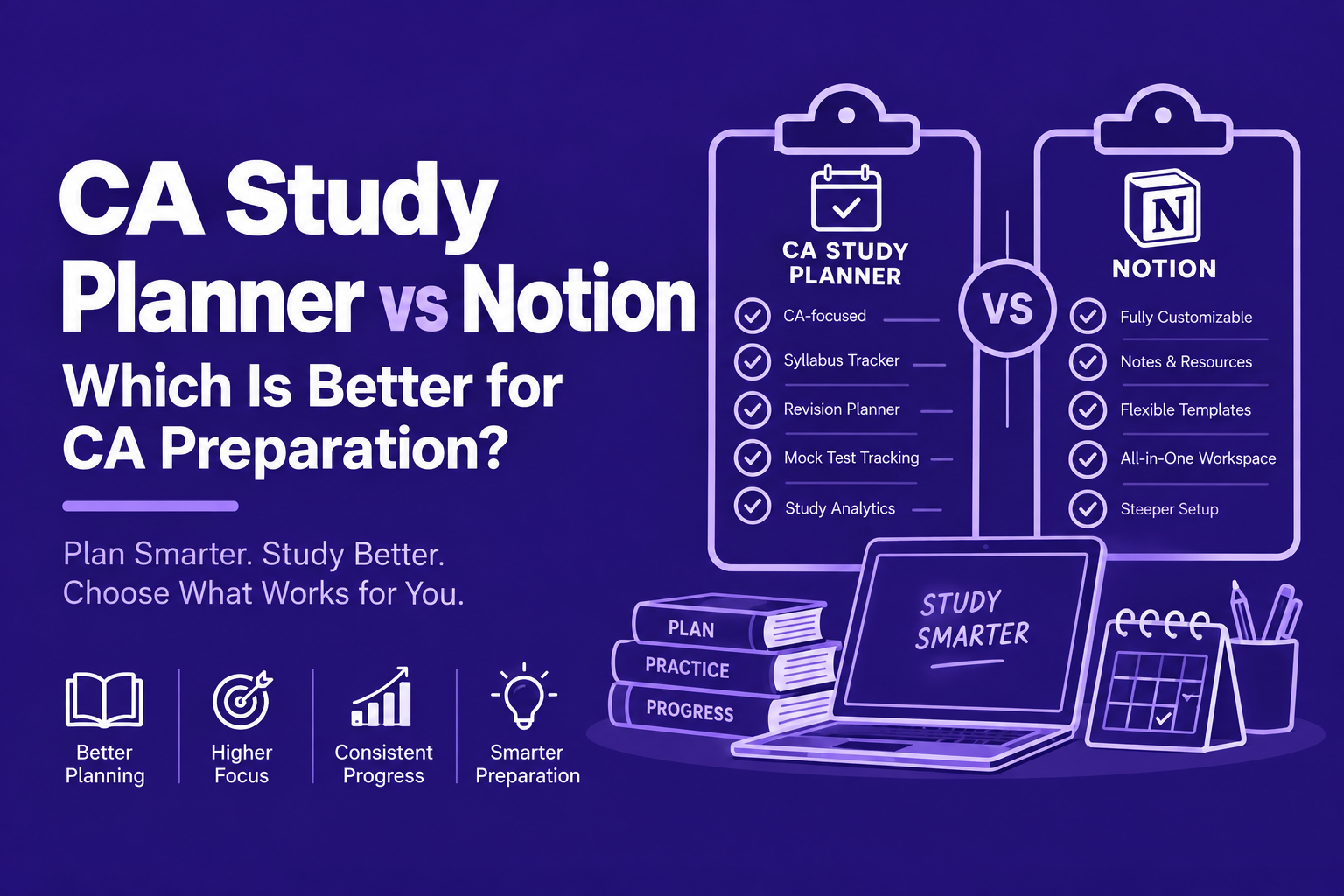
Compare a dedicated CA study planner app with Notion across setup, syllabus tracking, revision, tests, notes and customisation to choose the right system for your preparation.
If you are comparing a CA study planner app vs Notion, the better choice depends on what you need the tool to do.
Notion is excellent for building a flexible personal workspace. You can create databases, notes, calendars, task systems, dashboards and custom study pages. A CA study planner app is more focused. It starts with the CA preparation workflow itself: syllabus, subjects, revision, study sessions, tests and progress.
For most students who want less setup and more structured CA preparation, a dedicated CA study planner is the simpler option. Notion makes more sense if you enjoy building and customising your own system.
CA Study Planner App vs Notion: The Basic Difference
A CA study planner is designed around how CA students prepare. Notion is designed around how users organise information and work.
That difference sounds small. In daily study, it matters quite a lot.
Notion gives you flexible building blocks. Its databases can have custom properties, different views, filters, timelines, calendars and task relationships. A dedicated CA planner starts with things that a CA student already understands:
- Foundation, Intermediate or Final
- Papers and subjects
- Chapters
- Revision cycles
- Study targets
- Tests
- Weak areas
- Daily study time
- Exam preparation
You do not have to build these structures from scratch.
What Is a CA Study Planner App?
A CA study planner app is a study-management tool designed specifically around the Chartered Accountancy preparation process. It helps students organise the ICAI syllabus, plan study sessions, schedule revision, track progress and review test performance from one system.
The main idea is simple: you spend your time preparing for CA instead of designing the system you will use to prepare for CA.
That distinction becomes more important as the syllabus gets larger.
Why Students Compare Notion With a CA Study Planner
Notion is popular among students because it looks flexible and can be adapted to almost anything.
You can create:
- Subject databases
- Chapter trackers
- Daily to-do lists
- Study calendars
- Notes
- Revision databases
- Habit trackers
- Exam dashboards
Notion describes its databases as a way to organise information with custom properties and multiple views, while its project tools support tasks, subtasks, due dates, calendars and timelines.
So why would a CA student need something else? Because flexibility also creates decisions. You have to decide what to build, maintain it and then keep using it.
The Hidden Problem With Building Your Own Study System
You open Notion to plan your preparation. You spend 20 minutes choosing a template. Then you change the colours, add a subject database and watch a video about a better dashboard. Suddenly, the study session has not started.
This does not mean Notion is bad. It means the tool can become another project. A study system should support preparation, not become preparation.
CA Study Planner App vs Notion: Detailed Comparison
| Area | CA Study Planner App | Notion |
|---|---|---|
| Main purpose | CA preparation and study planning | General workspace and organisation |
| CA syllabus | Built around CA subjects and chapters | Usually needs to be created |
| Subject planning | Ready for CA subjects | Custom database required |
| Revision tracking | Designed around revision cycles | Can be built with databases |
| Study calendar | Study-focused planning | Available through databases and calendar tools |
| Focus timer | Can be built into the study workflow | Usually requires a separate setup or tool |
| Mock and test tracking | Designed around exam preparation | Can be created manually |
| Customisation | More structured | Very high |
| Setup time | Low | Can be high |
| Notes and documentation | Usually secondary | One of Notion's strongest areas |
| Best for | Students who want a ready study system | Students who enjoy building their own system |
| Main trade-off | Less open-ended | More setup and maintenance |
The important point is that more features do not automatically mean better preparation. The right system is the one you will actually use consistently.
Where Notion Is Better
1. Customisation
Notion is extremely flexible. You can create your own databases, properties, views and dashboards. You can switch between table, board, timeline, calendar and other layouts.
If you like designing your own workflow, this is useful. For example, you could create a database with subject, chapter, difficulty, completion, revision date, confidence, test score and notes. You can then create different views from the same information.
2. Notes and Study Material
Notion works well when your main requirement is organising information. You can keep:
- Class notes
- Links
- PDFs
- Revision notes
- Personal explanations
- Bookmarks
- Research
- Checklists
Notion is built around documents, databases and connected information, so it can work as a broad digital workspace. If you want one place for your personal knowledge base, Notion is hard to ignore.
3. Building Your Own Workflow
Some students enjoy deciding exactly how their preparation dashboard looks. They may create separate pages for Group 1, subjects, chapters, revision, tests and analysis. For these students, Notion can be satisfying because the system feels personal.
Where a CA Study Planner Is Better
The advantage of a dedicated CA planner is not that it has more flexibility. It is the opposite: it removes unnecessary flexibility.
1. The CA Structure Is Already There
A CA student does not need to invent the idea of subjects and chapters. The syllabus already provides the structure. A dedicated planner can organise preparation around that structure: Paper → Chapter → Study → Revision → Practice → Test.
This is closer to the real preparation process.
2. Less Setup
With Notion, you may need to create databases and decide how they connect. With a CA planner, the basic workflow can already exist.
MyCAPlanner includes a paper-wise syllabus tracker, smart calendar, Pomodoro timer, revision cycles, habit tracking and mock analytics. That means the student can focus more on using the system.
3. Revision Is Part of the Workflow
This is one of the biggest differences. A chapter being marked completed does not mean it is ready for the exam. You may have studied a chapter three weeks ago and remember very little today.
A dedicated CA planner can treat revision as a separate part of preparation rather than simply changing a checkbox from incomplete to complete. For example: Chapter completed → R1 → R2 → R3 → Test. That is closer to how long-term CA preparation actually works.
The Problem With a Simple Completed Checkbox
You study a chapter and tick it as complete. Two weeks later, the chapter still shows a green checkmark. But when you attempt five questions from it, you struggle.
The chapter was completed. The learning was not maintained. This is why preparation tracking should go beyond completion.
What Actually Matters in a CA Study Tool
A useful CA planning system should answer five questions quickly.
1. What should I study today?
You should not need to decide this from scratch every morning.
2. What is pending?
You should know which chapters still need attention.
3. What needs revision?
Completed chapters should return to your schedule.
4. Where am I weak?
Tests should help identify weak chapters and subjects.
5. Am I moving at the right pace?
Your plan should show whether you are on track for your exam attempt. If a tool answers these questions, it is doing useful work.
CA Study Planner vs Notion: Which One Should You Choose?
The answer depends on your personality and preparation style.
Choose Notion If You:
- Enjoy building systems
- Want extensive customisation
- Keep detailed notes
- Want one workspace for many areas of life
- Are comfortable creating databases
- Like changing your workflow frequently
- Want to combine notes, projects and study material
Notion is particularly useful if your study system is also a knowledge-management system.
Choose a CA Study Planner If You:
- Want a ready-made CA workflow
- Prefer less setup
- Want syllabus tracking
- Need revision planning
- Want study sessions connected to tasks
- Track mock performance
- Want a system designed around CA subjects
- Tend to overcomplicate planning
For most students, this second group is closer to the actual problem they are trying to solve.
A Simple Decision Framework
Question 1: Do I enjoy building systems?
If yes, Notion may suit you. If no, a dedicated planner will probably feel easier.
Question 2: Do I need detailed notes or preparation tracking?
If notes are the priority, Notion has a clear advantage. If preparation tracking is the priority, a CA planner is more focused.
Question 3: Do I frequently redesign my timetable?
If you keep changing dashboards and schedules, reducing flexibility may actually help.
Question 4: What happens after I finish a chapter?
If the answer is simply that you tick it complete, your system may be missing revision and testing.
Why This Actually Works
Attention Span
Every additional decision takes a little attention. If you have to decide which database, view, property, template or tag to use before studying, you are spending mental energy before the actual work begins. A focused study system reduces these decisions.
Mental Fatigue
CA preparation already demands long periods of concentration. After several hours of Accounting, Taxation or Law, building a complicated dashboard is not productive work. The simpler the next action is, the easier it is to begin.
Energy Cycles
For further reading, explore CA Study Plan for Working Professionals — 5-Hour Daily Schedule and CA Intermediate Study Plan 2026 — Complete Group 1 & 2 Strategy.
Your highest-energy period should be reserved for difficult study. Planning and organising should not consume that time. A good system tells you what to do before you sit down.
Cognitive Load
A large syllabus creates enough mental load by itself. You should not also have to remember which chapter needs revision, when you were supposed to test it or how much of the paper is left. The system should hold that information for you.
Good planning removes decisions from your study day.
A Better Way to Use Notion for CA Preparation
If you prefer Notion, you do not need to abandon it. Use it for what it does well. A simple structure could be:
| Database | Useful fields |
|---|---|
| Subjects | Paper, subject, group, priority |
| Chapters | Chapter, subject, status, confidence, revision date |
| Tests | Test name, subject, marks, score, mistakes, weak chapter |
| Study Sessions | Date, subject, topic, duration, status |
This can work, but remember the trade-off: you are responsible for maintaining the system. That is perfectly fine if you enjoy doing it.
A Better Way to Use a CA Study Planner
Step 1: Select Your Course
Choose Foundation, Intermediate or Final.
Step 2: Select Your Exam Attempt
Set the examination you are preparing for.
Step 3: Break Down the Syllabus
See the papers and chapters you need to cover.
Step 4: Plan the Week
Assign study blocks to subjects.
Step 5: Study
Complete the planned session.
Step 6: Revise
Return to completed topics according to your revision schedule.
Step 7: Test
Use mock tests and question practice to check actual recall.
Step 8: Analyse
Look at mistakes and weak chapters, then feed that information back into the next week's plan. That final step is often missed. Planning should respond to performance.
The Most Important Difference: Planning vs Doing
You can have a beautiful dashboard, 12 databases, a perfect calendar, colour-coded subjects and 20 different tags, and still have a poor study week.
You open the dashboard, spend five minutes checking progress and another ten minutes rearranging tasks. The system feels productive, but the syllabus has not moved.
The best study planner is the one that gets out of your way.
Common Mistakes When Using Notion for CA
1. Building Too Many Databases
Start with the information you actually need. More databases do not automatically mean better organisation.
2. Tracking Everything
You do not need to record every five-minute activity. Track information that changes your decisions.
3. Spending More Time Designing Than Studying
If your dashboard keeps improving while your syllabus does not, stop designing.
4. Forgetting Revision
A chapter database is not a revision system unless it tells you when to revisit the chapter.
5. Making the System Too Complicated
If you need a tutorial to understand your own dashboard, it is probably too complicated.
Common Mistakes With CA Study Planner Apps
1. Treating the App as the Teacher
The planner organises your preparation. It does not replace lectures, books, ICAI material or question practice.
2. Chasing Streaks
A seven-day streak looks nice, but seven days of low-quality study is not the same as meaningful preparation.
3. Updating Instead of Studying
Do not spend ten minutes updating a task after a 40-minute study session. The tracking should remain lightweight.
4. Blindly Following the Schedule
Your plan is a guide. If you score poorly in a topic, that topic deserves more time. The calendar should adapt to your performance.
When Should You Switch From Notion to a CA Planner?
You do not need to switch simply because another student uses a different tool. Consider changing when your current system repeatedly causes friction.
- You keep forgetting revisions
- Your syllabus tracker is difficult to maintain
- You do not know what to study each day
- Your test results are not connected to your study plan
- You spend too much time maintaining databases
- You keep rebuilding your timetable
- Your study system feels like another subject to manage
If Notion already works for you, there is no reason to leave it. The goal is not to use the best app. The goal is to have a system that supports consistent preparation.
Notion vs CA Study Planner: The Practical Verdict
There is no universal winner. The better choice depends on the job you want the software to perform.
| Priority | Better fit |
|---|---|
| Flexible organisation | Notion |
| Detailed notes and personal knowledge management | Notion |
| Custom dashboards | Notion |
| Ready-made CA preparation structure | CA study planner |
| Syllabus and chapter tracking | CA study planner |
| Revision-focused preparation | CA study planner |
| Minimal setup | CA study planner |
What I Would Recommend to Most CA Students
If you are preparing seriously for Foundation, Intermediate or Final, start with the smallest system that answers: What do I study today? Then ask: What needs revision? What am I weak at? Am I on track for my attempt?
If a tool answers these questions without making you build a complicated system, it is doing its job.
Notion can absolutely be used for CA preparation. Its flexibility is real, and its database, notes, calendar and task features are strong. But flexibility is not always the same as simplicity.
For students who want a CA-specific workflow, MyCAPlanner is built around syllabus tracking, study planning, revision cycles, focus sessions and mock analysis.
The choice is less about which app has more features. It is about which app leaves more of your attention for studying.
Related CA Planning Guides
If you are comparing planning systems, the next useful questions are usually:
- CA Study Timetable: How should you divide your available hours across subjects?
- CA Revision Strategy: How should completed chapters return to your schedule?
- CA Syllabus Tracker: How should you measure progress beyond simply marking chapters complete?
These topics work together. A timetable tells you when to study. A syllabus tracker tells you what is left. A revision system tells you what to revisit. A test system tells you whether the learning is holding up.
Frequently Asked Questions
Is Notion good for CA preparation?
Yes. Notion can work very well for CA preparation because it supports notes, databases, calendars, tasks, filters and different views. Its main limitation for some students is that the CA-specific structure has to be created and maintained by the user.
Is a CA study planner better than Notion?
A dedicated CA study planner can be better if your main goal is syllabus tracking, study scheduling, revision and exam preparation. Notion can be better if you want a highly customisable workspace for notes, databases and many types of personal organisation.
Can I use Notion as a CA syllabus tracker?
Yes. You can create a database containing subjects, chapters, completion status, revision dates, confidence levels and other properties. The trade-off is that you have to design and maintain the tracker yourself.
What is the best app for CA study planning?
There is no single best app for every student. A CA-specific study planner is generally a better fit if you want a ready-made workflow for syllabus tracking, study planning, revision and tests. Notion is a strong choice if customisation and note-taking are more important to you.
Should CA students use Notion or a dedicated study planner?
Choose Notion if you enjoy building your own system and want broad flexibility. Choose a dedicated CA study planner if you want the CA preparation structure already organised and prefer spending less time managing the tool.
Can I use Notion and a CA study planner together?
Yes. You could use Notion for detailed notes, reference material and personal knowledge management, while using a CA planner for your daily schedule, syllabus progress, revision and tests. Avoid maintaining the same information in both places.
What matters more than choosing the right study app?
Your consistency matters more than the software. A simple system that you use every day is more useful than a sophisticated system that you keep redesigning. The tool should carry the planning load while your attention stays on the syllabus.